
 EN
EN
Your drone's battery is the one component you can't afford to guess about. It decides how long you stay in the air, how your drone performs, and — most importantly — how safe each flight is. When a pack starts to fail, the signs aren't always obvious, right up until you're staring at a sudden voltage drop mid-flight, an emergency landing, or a total loss of power.
The good news is that a few routine checks catch most problems early, while there's still time to retire the battery on your own terms instead of having it force the issue mid-air.
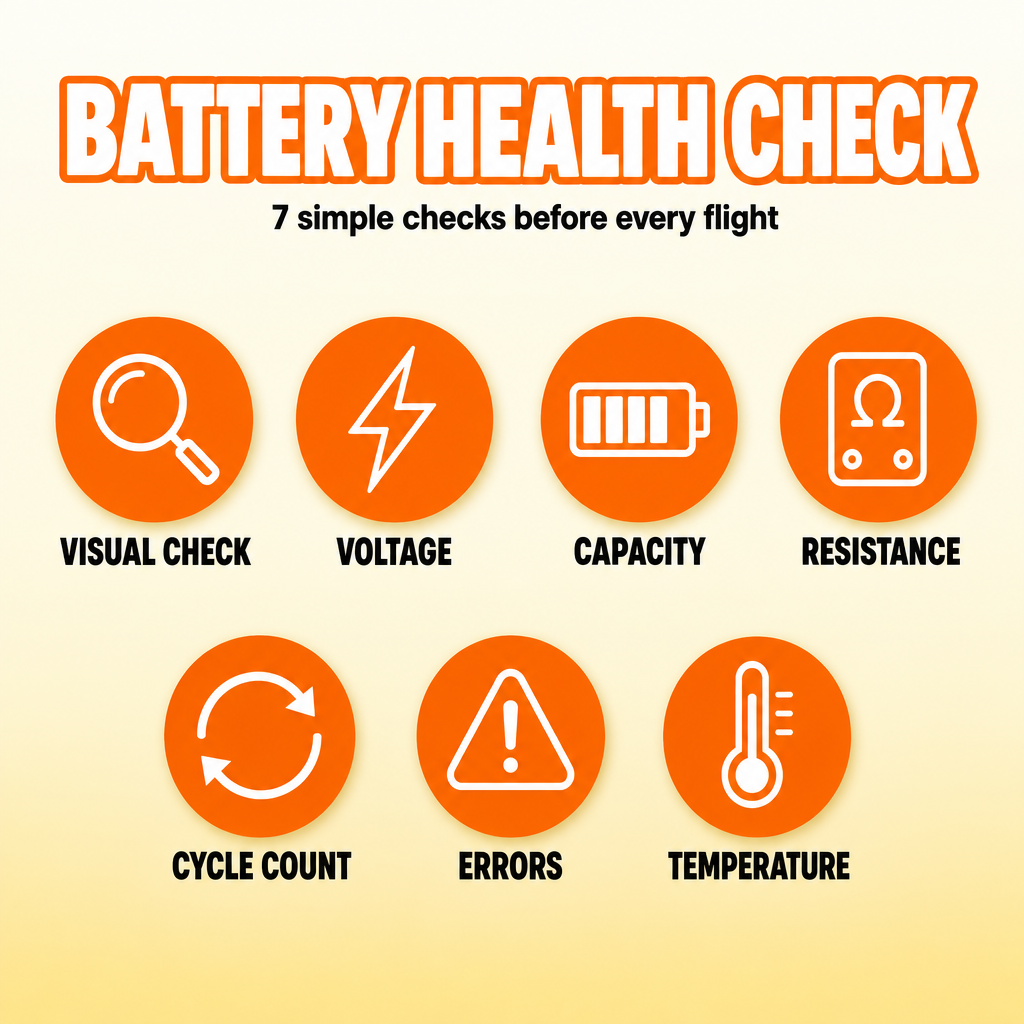
1. Check the Battery for Physical Damage
Start with the simplest thing — a visual inspection before every flight.
Look for:
- Swelling or bulging
- Cracks or punctures
- Damaged wires
- Loose connectors
- Leakage
- Burn marks
- Unusual smells
Swelling deserves special attention. It's one of the clearest signs that a battery is deteriorating, and a puffed-up LiPo should never be forced back into the drone or kept in service.
If the battery has been through a crash, inspect it carefully even when the casing looks fine — internal damage doesn't always show on the outside.
2. Check Battery Voltage
Voltage tells you how much energy the pack is actually holding, and you can read it a few different ways:
- Drone apps
- Smart controllers
- Battery chargers
- Multimeters
- LiPo voltage checkers
A typical lithium cell sits at about 3.7V nominal and climbs to roughly 4.2V when fully charged.
For example:
- 3S: about 12.6V fully charged
- 4S: about 16.8V
- 6S: about 25.2V
What matters is comparing what you actually see with the manufacturer's recommended range. Resting voltage that comes up short is a good reason to dig a little deeper.
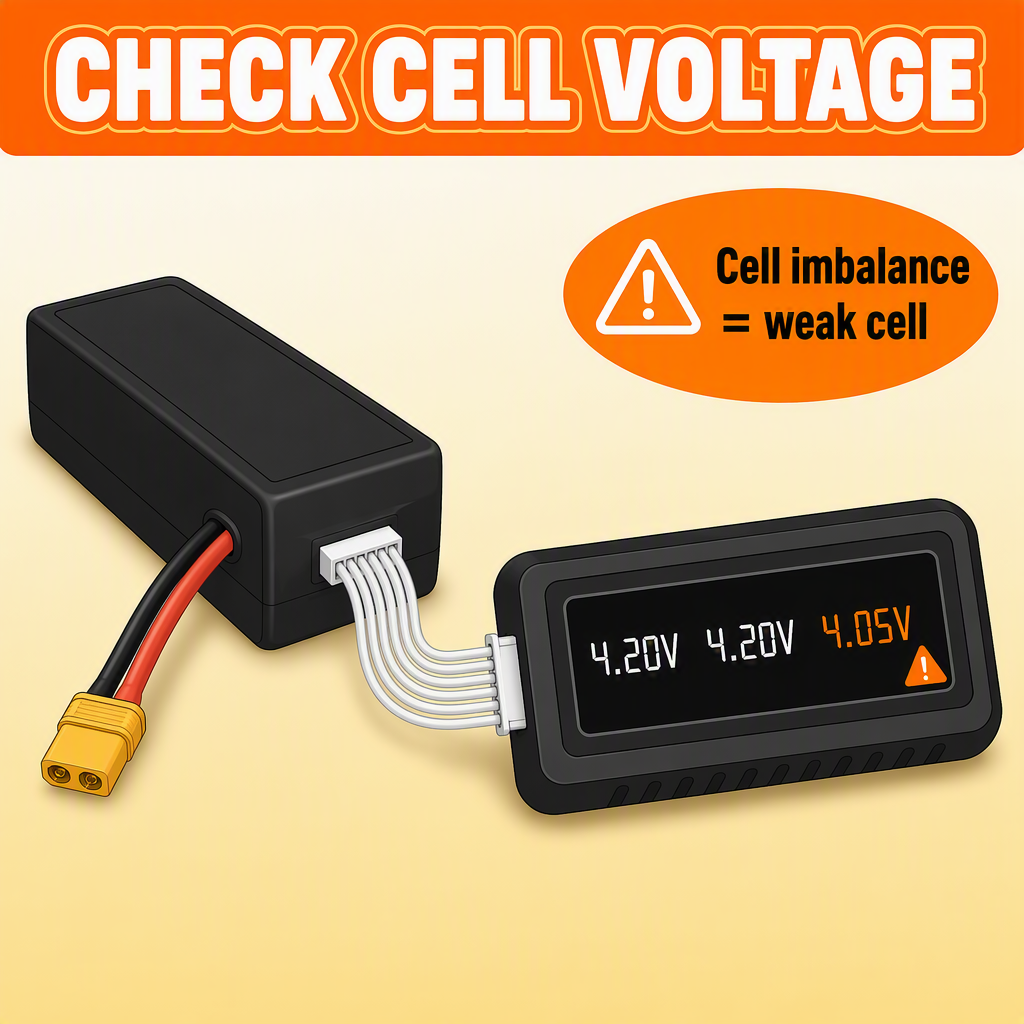
Check Individual Cell Voltage
On a multi-cell pack, the cells matter more than the overall number — and that's where a lot of batteries quietly fail.
Say most cells read around 4.18V but one sits at 4.05V. That cell is weaker, and it's the one that drags the whole pack down under load.
Small differences between cells are normal, but when the gap grows, or keeps coming back after recharging, the battery is probably on its way out.
Also watch what happens during flight. A pack can look perfectly healthy at rest and still sag hard under load, which points to high resistance or a tired cell.
3. Check Battery Capacity
Every battery loses usable capacity as it ages. That's chemistry, not a defect.
The easiest way to spot it is to compare flight times. If your drone used to stay up for 25 minutes and now lands at 15 under similar conditions, the pack has almost certainly lost a significant amount of capacity.
For a harder number, some smart chargers and battery analyzers can report exactly how many milliamp-hours the battery actually delivers.
A 5000mAh pack that only puts out around 3500mAh has clearly lost a good chunk of its rated capacity.
Just remember that flight time also shifts with wind, temperature, payload, how aggressively you fly, and even the condition of your props.
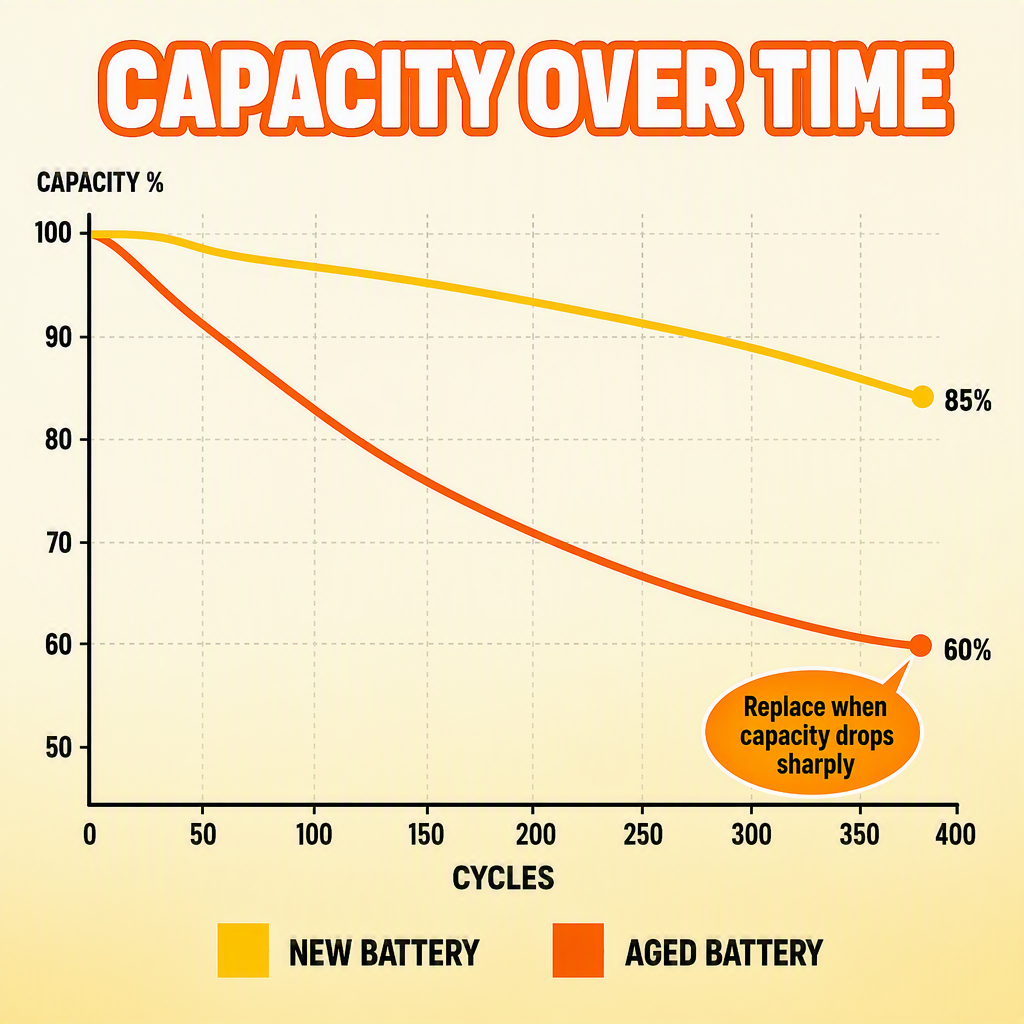
Try to compare like with like, and the numbers will tell you a lot more.
4. Check Internal Resistance
Internal resistance rises as lithium batteries age.
Higher resistance can cause:
- Faster voltage drop
- Reduced power output
- More heat
- Shorter flight time
Professional chargers and battery analyzers can measure it in milliohms.
Don't fixate on a single number, though — what matters is the trend. If one cell's resistance climbs well above its neighbors', that cell is aging faster than the rest.
For comparisons to mean anything, test at similar temperatures and similar charge levels.
It's a habit worth keeping on packs you fly often — resistance trends catch problems long before you'd notice them in the air.
5. Review the Battery Cycle Count
Most smart drone batteries quietly record how many charge cycles they've completed.
You can usually find that number in:
- The drone app
- Battery management software
- Smart chargers
- Fleet management systems
How long a battery lasts depends a lot on chemistry, charging habits, discharge depth, operating temperature, and storage conditions.
Some packs manage several hundred cycles without complaint.
But cycle count alone doesn't settle the question. A low-cycle battery can still be damaged, while a higher-cycle pack may keep flying fine as long as its voltage, capacity, and cell balance all still look stable.
6. Check for Battery Errors
Modern smart packs carry a battery management system that keeps an eye on voltage, current, temperature, cell balance, over-discharge, and charging. When it raises a flag, take it seriously:
- Voltage
- Current
- Temperature
- Cell balance
- Over-discharge
- Charging problems
Pay attention when you see warnings like:
- Battery cell error
- Abnormal voltage
- Battery communication error
- Excessive temperature
- Cell imbalance
A warning that keeps coming back isn't something to brush off.
Flight logs are worth reviewing too — they'll often show the voltage drops, temperature spikes, or discharge rates that led up to a problem.
7. Monitor Battery Temperature
Batteries naturally warm up in flight, especially during high-current work.
The thing to watch for is a pack that runs noticeably hotter than its identical siblings under the same conditions — that usually points to rising internal resistance or damage.
Unusual heat while charging is another red flag.
Stick to the temperature limits in the manufacturer's specs, both when charging and when flying.
When Should You Replace a Drone Battery?
Retire a pack when any of these show up:
- Serious swelling
- Physical damage
- Persistent cell imbalance
- Rapid voltage drop
- Major capacity loss
- High internal resistance
- Frequent battery warnings
- Abnormal overheating
- Unreliable flight time
If you're flying commercially, don't wait for the edge of the envelope — reliability matters more than squeezing out the last few cycles, and replacing early beats a grounded aircraft or a missed job.
How to Keep Drone Batteries Healthy
Good habits slow the aging process down.
Use the charger and settings the manufacturer specifies, avoid draining the pack too far, and let a hot battery cool down before you charge it.
For longer storage, most lithium packs prefer a partial charge over a full one — follow what the manufacturer recommends.
Keep batteries in a cool, dry spot, out of direct sunlight and away from temperature extremes.
If you manage several packs, label each one and keep a simple record of cycle count, flight time, and performance. It makes weak batteries easy to spot long before they become unreliable.
Final Thoughts
Battery care belongs in your regular maintenance routine, right alongside props, motors, and firmware updates.
Start with the physical check, then work through voltage, cell balance, capacity, internal resistance, cycle count, temperature, and any warnings the pack throws at you.
No single test tells the whole story, which is why the best approach is to watch several indicators together.
Catching a weak battery before it fails protects the drone and whatever it's carrying — and it makes every flight safer and more predictable.
Learn how to check drone battery health by inspecting physical condition, voltage, capacity, internal resistance, cycle count, temperature, and battery warnings. Regular battery checks help identify performance decline early, reduce the risk of unexpected power loss, extend battery service life, and improve overall drone flight safety and reliability.
Table of Contents
- 1. Check the Battery for Physical Damage
- 2. Check Battery Voltage
- 3. Check Battery Capacity
- 4. Check Internal Resistance
- 5. Review the Battery Cycle Count
- 6. Check for Battery Errors
- 7. Monitor Battery Temperature
- When Should You Replace a Drone Battery?
- How to Keep Drone Batteries Healthy
- Final Thoughts